Help Desk Software for Small Business: A Complete Guide
Help Desk Software for Small Business: A Complete Guide Running a small business means managing many responsibilities at once. You may need to answer customer questions, solve technical problems, process complaints, and keep track of orders. When messages arrive through email, phone calls, website forms, and social media, staying organized can quickly become difficult.
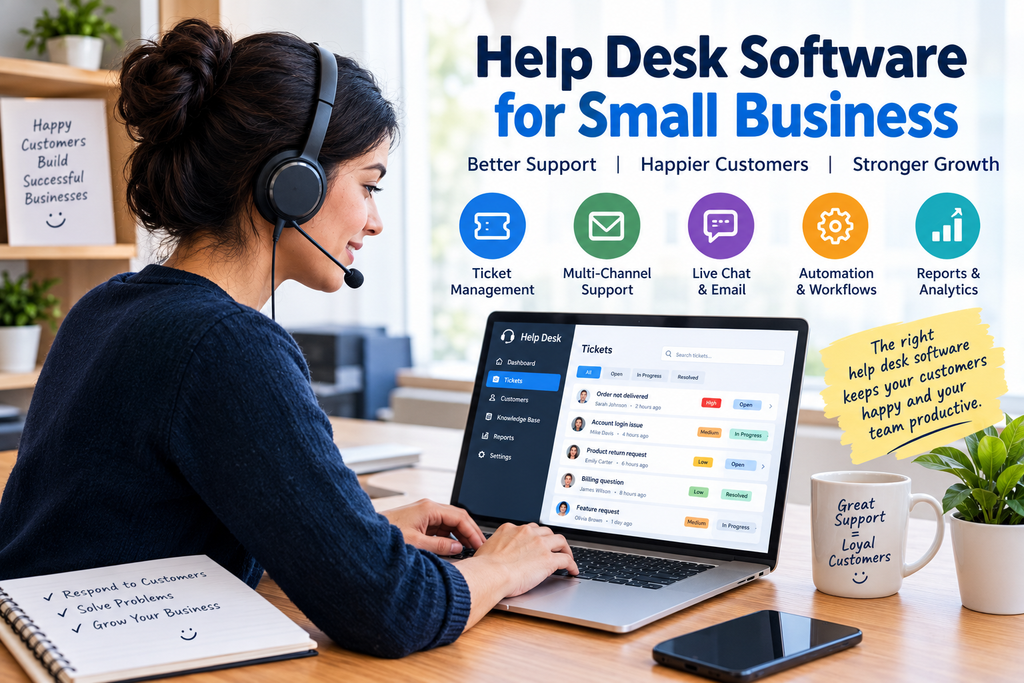
This is where help desk software for small business can make a real difference. It helps businesses manage customer requests, organize conversations, track problems, and provide faster support without creating unnecessary complexity.
Whether you run an online store, a digital agency, a software company, or a local service business, choosing the right help desk system can improve customer satisfaction and make daily operations easier. In this guide, we will explore how help desk software works, its benefits, important features, and how to choose a solution that fits your business.
What Is Help Desk Software for Small Business?
Help desk software is a digital tool that helps businesses receive, organize, assign, and resolve customer support requests. Instead of managing every message separately, teams can use one central platform to handle customer conversations.
For example, imagine a customer emails your business about a delayed order. Without a help desk system, the message might remain buried in an inbox or get overlooked. With help desk software, the request can become a ticket with a clear status, assigned employee, and recorded communication history.
Many platforms also support live chat, contact forms, knowledge bases, automated responses, and reporting tools.
The primary goal is simple: make customer support easier to manage while helping customers receive timely and useful answers.
Why Small Businesses Need Help Desk Software
Small businesses often operate with limited staff and budgets. Every employee may handle several different tasks, making it difficult to respond to customers consistently.
Help desk software can reduce this pressure in several ways.
1. Keep Customer Requests Organized
When customer messages arrive from different channels, it becomes easy to lose track of important conversations. A help desk system gathers supported requests in one place.
Each ticket can contain the customer’s question, previous messages, assigned team member, priority, and current status. This makes it easier to understand what needs attention and which issues have already been resolved.
2. Improve Response Times
Customers generally appreciate quick and clear communication. Help desk software can help teams identify urgent requests, prioritize tickets, and avoid unnecessary delays.
Automatic acknowledgments can confirm that a message has been received, while notifications remind employees about pending requests.
Although software cannot guarantee faster service by itself, a well-organized workflow can help employees respond more efficiently.
3. Deliver a Better Customer Experience
Customers do not want to repeat the same information every time they contact support. A ticket history allows authorized team members to review earlier conversations and understand the problem.
This creates a more consistent experience and helps employees provide relevant answers.
Over time, reliable customer service can strengthen trust, encourage repeat purchases, and support long-term customer relationships.
4. Save Time Through Automation
Many support requests involve repetitive questions, such as payment methods, delivery policies, account access, or return procedures.
Help desk software can automate routine activities by assigning tickets, sending notifications, applying predefined replies, or directing requests to the appropriate team.
Some platforms also offer AI-powered features that summarize conversations or suggest responses. Businesses should review these features carefully and ensure that automated answers remain accurate and appropriate.
Essential Features to Look for in Help Desk Software
Not every business needs an advanced support platform. The best choice depends on the number of customer requests you receive and the complexity of your operations.
Here are the most useful features to consider.
Ticket Management
Ticket management is the foundation of most help desk systems. It converts customer questions into trackable requests that can be assigned, prioritized, updated, and resolved.
Look for a platform that makes it easy to identify open tickets, overdue requests, and recently completed conversations.
Email and Live Chat Support
Email integration helps teams manage support messages without constantly switching between applications. Live chat can be useful for businesses whose customers prefer immediate assistance.
Some platforms also support social media messaging and other communication channels. Check whether the channels you use are included in the plan you choose.
Knowledge Base
A knowledge base is a collection of helpful articles, frequently asked questions, troubleshooting instructions, and product guides.
For example, an online store could publish instructions explaining how to track an order or request a return. Customers can find answers independently, reducing the need for repeated support conversations.
Automation and Notifications
Automation can assign requests based on their topic, notify employees about new tickets, and send reminders for unresolved issues.
These tools are particularly valuable for small teams because they reduce manual administrative work.
Reporting and Analytics
Reports help business owners understand ticket volume, common customer problems, response times, and resolution patterns.
These insights can reveal where the support process needs improvement. For instance, repeated questions about a particular product may indicate that its instructions need clarification.
Affordable Pricing and Scalability
A small business should choose software that fits its current budget while allowing room for future growth.
Compare the number of users included, monthly ticket limits, automation allowances, integration options, and additional charges before making a decision.
Popular Help Desk Software Options for Small Businesses
Several established platforms offer customer support tools suitable for smaller organizations. Their features, pricing, and availability can change, so review the current plans before purchasing.
Freshdesk: A customer support platform with ticket management, automation, and reporting options. It may suit businesses looking for a dedicated help desk.
Zoho Desk: Offers ticket management, workflow tools, and integration with other Zoho business applications. It can be worth considering if your company already uses Zoho products.
Zendesk: Provides customer service tools for managing support requests across multiple channels. Compare its available plans carefully to determine whether the features and costs fit your needs.
Help Scout: Focuses on customer conversations, shared inboxes, and knowledge bases. It may appeal to businesses that prefer a straightforward customer communication workflow.
Jira Service Management: Offers request management and workflow capabilities, particularly relevant to teams handling internal IT support and technical service requests.
Before selecting a platform, test its interface, evaluate its customer support, and confirm that the features you need are included in the plan you can afford.
How to Choose the Right Help Desk Software
Selecting the right tool starts with understanding your business rather than choosing the platform with the most features.
First, identify your main support challenges. If emails are frequently missed, prioritize ticket management and a shared inbox. If customers repeatedly ask similar questions, look for a knowledge base and reusable responses.
Next, consider your team size. A solo business owner may need only a simple ticketing system, while a growing company may require assignment rules, reporting, integrations, and multiple support channels.
You should also evaluate ease of use. Complicated software can create more work instead of solving existing problems. A clean interface and simple setup can make adoption easier for employees.
Finally, consider security and data protection. Review access controls, authentication options, backup practices, data retention policies, and the provider’s privacy terms. Businesses handling sensitive customer information should pay particular attention to these details.
A free trial or free plan, when available, can help you test the system before committing to a paid subscription.
How Much Does Help Desk Software Cost?
The cost depends on the provider, subscription tier, number of users, and features included.
Some platforms offer free plans with basic ticket management or limited functionality. Paid plans may charge per agent each month and provide additional automation, reporting, integrations, or advanced support features.
When comparing prices, look beyond the starting subscription fee. Consider implementation costs, optional add-ons, training, and charges for additional users.
For a small business, the most expensive platform is not necessarily the best choice. A simple system that solves your main problems may provide better value than a complex solution with features your team rarely uses.
Common Mistakes to Avoid
One common mistake is choosing software based only on popularity. A well-known platform may not suit a small team with straightforward support needs.
Another mistake is ignoring employee training. Even useful software can fail when employees do not understand how to create tickets, assign requests, or update ticket statuses.
Businesses should also avoid automating every conversation. Some situations require empathy, judgment, and personalized communication.
Finally, do not ignore customer feedback. Review support conversations regularly and use recurring complaints to improve your products, services, and help documentation.
Conclusion
Help desk software for small business can make customer support more organized, consistent, and manageable. By bringing customer requests together, tracking unresolved issues, automating repetitive tasks, and providing useful reports, the right platform can help small teams work more effectively.
The best solution depends on your business size, customer communication channels, budget, and future plans. Start by identifying your most common support problems, compare a few suitable platforms, and test their features before making a final decision.
You do not need the most complicated system to deliver excellent customer service. You need a practical tool that helps your team respond clearly, solve problems efficiently, and build stronger relationships with customers.